Amazon selling is becoming more competitive every year. Product research, keyword research, competitor analysis, PPC optimization, profitability tracking, listing optimization, and inventory decisions all require data—and most sellers spend hours moving between Amazon Seller Central, Helium 10, spreadsheets, and AI tools.
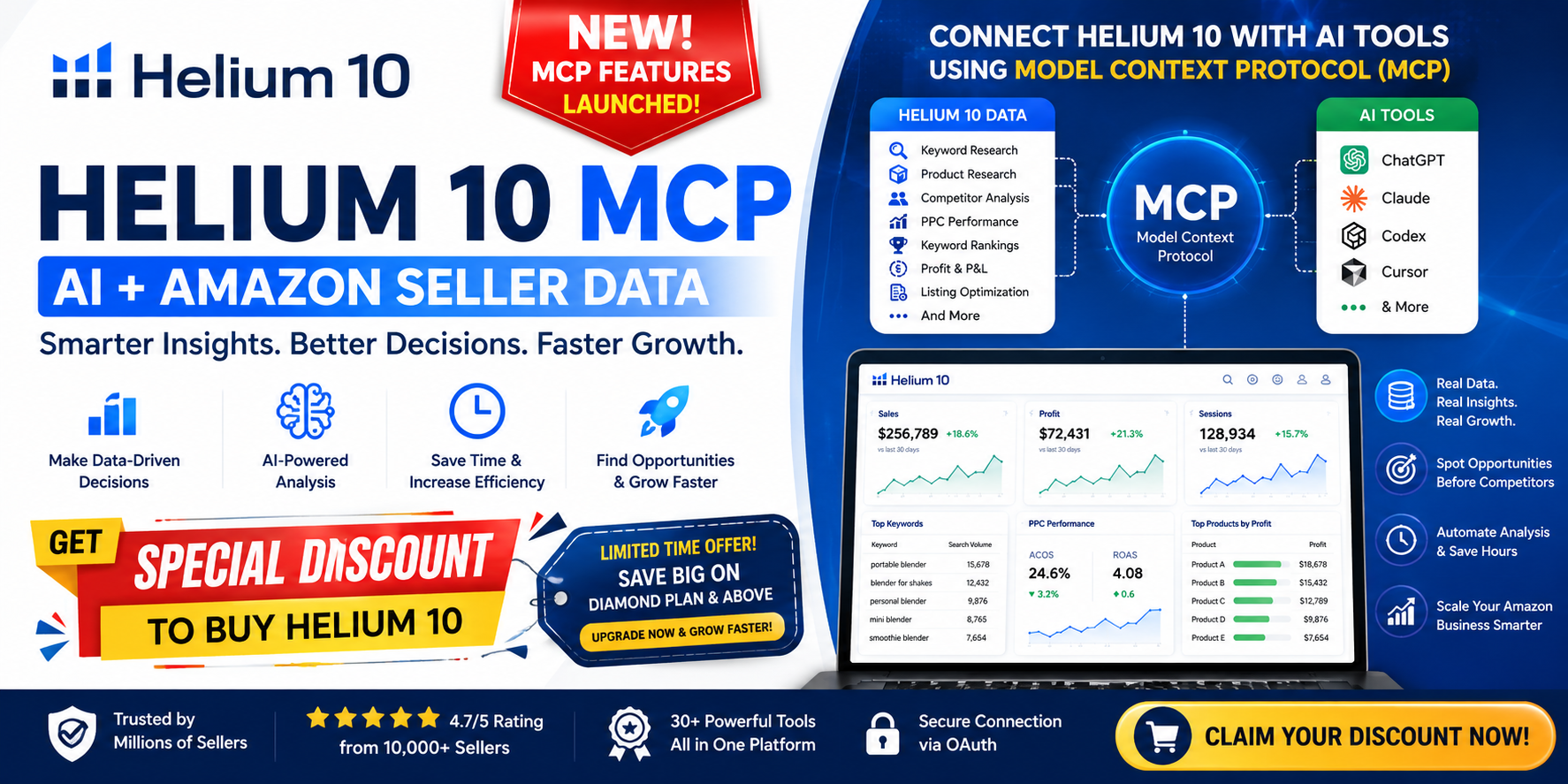
Now, Helium 10 has introduced MCP (Model Context Protocol), bringing Helium 10 data directly into AI tools such as Claude, ChatGPT, Codex, Cursor, and other MCP-compatible AI systems.
Instead of downloading reports and manually feeding them to AI, sellers can connect their Helium 10 account and ask AI questions using their Helium 10 data.
So, what exactly is MCP? How does it work? Which Helium 10 plan supports it? And most importantly, how can Amazon sellers actually use it to grow their business?
Let’s break it down.
What Is MCP?
MCP stands for Model Context Protocol.
In simple words, MCP is a standardized way for AI applications to securely connect with external tools and data sources.
Think of MCP as a bridge between your AI assistant and Helium 10.
Normally, your workflow might look like this:
Helium 10 → Export Data → Open AI → Upload/Paste Data → Ask Questions → Analyze Results
With MCP, the workflow becomes:
Connect Helium 10 → Ask AI → AI retrieves Helium 10 data → AI analyzes it → Get actionable insights
Helium 10 describes its MCP as a data layer that allows compatible AI tools to access Helium 10 information through a secure connection. Authentication uses OAuth, meaning the AI tool does not receive your Helium 10 password.
A Simple Example
Imagine you want to analyze one of your Amazon products.
Instead of opening Helium 10 and checking several reports, you could ask your connected AI assistant:
“Analyze my product’s keyword performance and identify keywords where my competitors are ranking but I am not.”
The AI can use the connected Helium 10 data to analyze the relevant information and provide an explanation.
That’s the major change MCP brings to the Amazon seller workflow.
What Is Helium 10 MCP?
Helium 10 MCP connects your Helium 10 account with compatible AI tools so you can interact with Helium 10 data through natural-language prompts.
According to Helium 10, the MCP integration covers areas including:
- Keyword research
- Reverse ASIN research
- Product research
- Keyword and rank analysis
- Listing analysis
- Advertising intelligence
- Profit and P&L analytics
- Competitor analysis
- Brand Analytics insights
- Other Amazon seller intelligence workflows
Helium 10 currently describes the MCP integration as having 30+ tools, with support for multi-step workflows and data chaining.
This means sellers don’t necessarily need to think about which individual Helium 10 report to open first. You can describe the business problem in normal language and let the AI determine which available data is useful.
Why Is MCP Important for Amazon Sellers?
Amazon sellers already have access to huge amounts of data.
The problem isn’t always lack of data.
The problem is:
How quickly can you turn that data into a decision?
MCP can help reduce the gap between data → analysis → action.
For example:
Traditional workflow:
- Open Helium 10
- Find Cerebro
- Enter competitor ASIN
- Export keywords
- Download data
- Open spreadsheet
- Upload spreadsheet to AI
- Ask AI to analyze it
- Decide what to do
AI + MCP workflow:
- Ask your AI assistant what you want to investigate
- AI accesses the appropriate Helium 10 data
- AI analyzes the information
- AI gives you an actionable summary
The biggest advantage isn’t simply “AI.”
It’s AI + your seller intelligence data.

⭐⭐⭐⭐⭐
Which Helium 10 Plans Support MCP?
This is one of the most important questions for sellers.
As of the current Helium 10 documentation, MCP is available to Diamond plan members and above at no additional MCP charge.
Helium 10’s current pricing page lists:
| Plan | MCP Availability |
|---|---|
| Free | ❌ Not included |
| Platinum | ❌ Not included |
| Diamond | ✅ Included |
| Enterprise | ✅ Included |
Helium 10 currently lists Diamond at $279/month when billed annually or $359/month when billed monthly, while Enterprise is a custom plan starting at $1,499/month when billed annually. Prices and plan features can change, so sellers should check the latest official pricing before upgrading.
Important: MCP itself does not appear to be a separate paid add-on for Diamond and above. It is included with the qualifying subscription.

What Can Amazon Sellers Do With Helium 10 MCP?
This is where MCP becomes particularly interesting.
1. Keyword Research
You can use AI to investigate keyword opportunities using Helium 10’s keyword intelligence.
For example:
“Find high-potential keywords for my product and separate them into primary, secondary, and long-tail keywords.”
You can also ask AI to analyze search volume, keyword trends, competition, and other available metrics.
Helium 10 MCP supports keyword expansion and reverse ASIN research, including keyword metrics and ranking information.
Potential benefit:
Instead of simply collecting hundreds of keywords, you can ask AI to help organize and prioritize opportunities.
2. Reverse ASIN Competitor Research
Reverse ASIN research is one of the most valuable tools for Amazon sellers.
You can ask AI to investigate a competitor’s ASIN and identify:
- Keywords they rank for
- Keywords where they have an advantage
- Potential keyword gaps
- Organic ranking opportunities
- Sponsored keyword opportunities
- Relevant competitive insights
For example:
“Analyze the top competitors for my ASIN and identify important keywords where they are ranking but my product isn’t.”
This can turn competitor research into a more structured strategy.

3. Find Keyword Gaps
Keyword gaps are opportunities.
Suppose three major competitors rank strongly for a group of keywords, but your listing has little or no visibility for those terms.
You could ask:
“Compare my product against my top five competitors and identify the most important keyword gaps.”
AI can then help you organize the opportunities into categories such as:
- Listing opportunities
- PPC opportunities
- Long-tail opportunities
- High-priority keywords
- Lower-priority keywords
Helium 10 specifically highlights competitor keyword gaps and reverse-ASIN analysis as use cases for MCP.
4. Analyze Amazon PPC Performance
PPC management can consume a significant amount of an Amazon seller’s time.
Instead of manually reviewing multiple campaigns, sellers can use MCP-enabled AI workflows to investigate advertising performance.
For example:
“Analyze my advertising performance and identify campaigns or keywords that appear to be underperforming.”
Or:
“Investigate why my ROAS declined and identify the biggest contributing factors.”
Helium 10 says MCP can pull advertising data and help identify underperforming keywords and possible root causes behind performance changes.
Potential benefit:
AI can help turn large PPC datasets into a shorter list of problems that deserve your attention.

5. Profit & Loss Analysis
Revenue doesn’t equal profit.
Amazon sellers need to understand:
- Revenue
- Amazon fees
- COGS
- Advertising costs
- Refunds
- FBA-related expenses
- Product-level margins
- Overall profitability
With Helium 10 MCP, you can ask questions about profitability and P&L data.
For example:
“Which of my products generated the highest profit last month?”
Or:
“Identify products where my margin has decreased significantly.”
Or:
“Analyze my product-level profitability and identify where costs are increasing.”
Helium 10 specifically lists P&L, margins, COGS, fees, and account/product-level profitability as MCP use cases.
6. Monitor Keyword Rankings
Ranking changes can be difficult to monitor manually.
You can build AI workflows around rank tracking and ask questions such as:
“Which of my important keywords experienced the biggest ranking decline?”
Then investigate:
- Which keywords dropped?
- How large was the decline?
- Which products were affected?
- Are competitors gaining?
- Which keywords deserve immediate attention?
This can turn rank tracking into a decision-making workflow rather than simply a report.
7. Product Research
MCP can also be used for product research.
For example:
“Find product opportunities in this category with strong demand and relatively low competition.”
Or:
“Analyze this product idea and identify potential competitive risks.”
Helium 10’s MCP includes product research capabilities, allowing AI workflows to access Helium 10 product data and market intelligence.
However, remember:
AI does not replace product validation.
Before launching a product, sellers should still investigate:
- Demand
- Competition
- Seasonality
- Reviews
- Product differentiation
- Manufacturing costs
- Shipping
- Amazon fees
- Advertising costs
- Compliance
- Profit margins
MCP can make the analysis faster, but the final business decision remains yours.

8. Listing Optimization
MCP can help bring keyword and competitor intelligence into your listing workflow.
For example, you could ask:
“Analyze my listing against the top competitors and identify keyword and content opportunities.”
AI can potentially help organize recommendations around:
- Title
- Bullet points
- Backend keywords
- Keyword relevance
- Competitor keyword gaps
- Customer-facing messaging
The goal shouldn’t be to blindly let AI rewrite everything.
Instead:
Use data → identify opportunity → create optimized content → review manually → publish.
This approach is much safer than allowing AI to make assumptions without seller data.
9. Build Daily Seller Reports
One of the most interesting applications of MCP is creating repeatable workflows.
Instead of checking multiple dashboards every morning, you can create a daily analysis process around questions such as:
Daily Amazon Seller Check
1. Ranking
- Which important keywords dropped?
2. Advertising
- Which campaigns need attention?
3. Profitability
- Which products experienced margin pressure?
4. Competition
- Did competitors gain important keyword positions?
5. Opportunities
- Are there new keyword or product opportunities?
Helium 10 has specifically discussed workflows such as daily rank digests, weekly margin checks, competitor keyword-gap reports, and campaign diagnostics.

10. Create Weekly Business Intelligence Reports
Imagine receiving a weekly summary like:
Amazon Business Weekly Report
Sales
- Revenue increased/decreased by X%
Profit
- Top profitable products
- Products with declining margins
PPC
- Best campaigns
- Worst campaigns
- ROAS changes
SEO
- Keywords gaining ranking
- Keywords losing ranking
Competition
- New competitor movements
- Keyword gaps
Actions
- 5 things to investigate this week
This is where MCP can become more than an AI chatbot.
It can become part of your Amazon business intelligence workflow.
⭐⭐⭐⭐⭐
Helium 10 MCP vs Traditional Helium 10 Workflow
| Traditional Workflow | Helium 10 MCP Workflow |
|---|---|
| Open multiple tools | Ask AI what you need |
| Export data | AI can retrieve supported data |
| Copy/paste into AI | Data is accessed through MCP |
| Manually interpret reports | AI helps analyze information |
| Create reports manually | Build repeatable workflows |
| Switch between platforms | Work from your AI environment |
| Static analysis | On-demand data analysis |
MCP doesn’t eliminate Helium 10.
Instead, it creates a new way to interact with Helium 10 data.
How to Connect Helium 10 MCP
The basic process is straightforward.
Step 1: Have a qualifying Helium 10 subscription
You need Diamond or higher to use Helium 10 MCP according to Helium 10’s current documentation.
Step 2: Use a supported AI client
Helium 10 currently documents support for AI clients including:
- Claude
- ChatGPT
- Codex
Its MCP page also describes compatibility with other MCP-compatible AI tools and custom agents.
Step 3: Connect Helium 10
The recommended connection uses an OAuth authorization process.
You authorize the AI client to access the relevant Helium 10 account.
Step 4: Enable Helium 10 MCP
Once connected, make sure the Helium 10 MCP connector is enabled in your AI conversation.
Step 5: Start asking questions
You can now ask questions based on your available Helium 10 data.
For example:
“Use Helium 10 data to analyze the performance of my top products.”
Or:
“Find keyword gaps between my product and my top competitors.”
Helium 10 provides detailed connection instructions for Claude, ChatGPT, and Codex in its official MCP documentation.
⭐⭐⭐⭐⭐
15 Useful MCP Prompts for Amazon Sellers
Here are some practical prompts sellers can experiment with.
Product Research
“Find promising product opportunities in [category] and explain the strongest opportunities and risks.”
Competitor Research
“Analyze my top competitors and summarize their major strengths and weaknesses.”
Keyword Research
“Find high-potential keywords related to my product and prioritize them by opportunity.”
Reverse ASIN
“Analyze this ASIN and identify the most valuable keywords it ranks for.”
Keyword Gap
“Compare my ASIN with these competitors and identify important keyword gaps.”
Ranking
“Show me the keywords where my ranking has declined and prioritize the ones I should investigate first.”
PPC
“Analyze my advertising performance and identify campaigns or keywords that need attention.”
ROAS
“Investigate the main reasons behind my ROAS decline.”
Profitability
“Analyze product-level profitability and identify products with declining margins.”
COGS
“Identify products where rising costs are putting pressure on profitability.”
Competitor Opportunity
“Find competitor products that may be vulnerable because of poor rankings, reviews, or other available signals.”
Listing
“Analyze my listing against competitors and identify the most important optimization opportunities.”
Weekly Report
“Create a weekly Amazon business report covering sales, profitability, rankings, advertising, and competitive opportunities.”
Action Plan
“Based on my current Helium 10 data, give me the five highest-priority actions I should investigate this week.”
Growth Strategy
“Analyze my business data and identify the biggest opportunities for improving revenue and profitability.”
What Helium 10 MCP Cannot Do
MCP is powerful, but sellers should understand its current limitations.
According to Helium 10’s documentation, the current MCP release is read-only.
That means it can retrieve and analyze supported data, but it cannot directly:
- Create PPC campaigns
- Pause campaigns
- Change bids
- Change budgets
- Modify Amazon listings
- Make changes inside Seller Central
Those actions still need to be performed directly in Helium 10 or Amazon Seller Central.
This is actually an important safety feature.
You can use AI to analyze and recommend, while you remain in control of the final changes.
Is Helium 10 MCP Safe?
Helium 10 uses OAuth-based authentication for the connection.
According to Helium 10, the AI does not receive your Helium 10 password, and access can be revoked. Helium 10 also states that MCP only accesses data when you initiate a request and that your data is not used for AI model training.
Nevertheless, sellers should always:
- Use trusted AI clients
- Review permissions carefully
- Avoid sharing credentials manually
- Check which account is connected
- Revoke access when necessary
- Review AI recommendations before making business decisions
MCP Is Not a Replacement for Helium 10
This is important.
Some sellers may think:
“If AI can access Helium 10, do I still need Helium 10?”
The answer is essentially yes.
MCP is a connection layer.
Helium 10 provides the underlying seller intelligence, datasets, research tools, analytics, and Amazon-focused functionality.
AI acts as an interface for asking questions, combining information, analyzing patterns, and creating workflows.
Think about it this way:
Helium 10 = Data + Amazon Intelligence
MCP = Connection
AI = Analysis + Natural-Language Interface
Amazon Seller = Decision Maker
The combination can be much more powerful than any single component.

MCP + AI Could Change How Amazon Sellers Work
The biggest opportunity isn’t simply asking AI questions.
The real opportunity is building repeatable workflows.
Imagine your Amazon business running a structured intelligence system:
Every Morning
AI checks:
- Ranking movements
- Advertising performance
- Important product metrics
- Potential issues
Every Week
AI analyzes:
- Competitor keyword movements
- Keyword gaps
- PPC performance
- Profitability
- Product opportunities
Every Month
AI summarizes:
- Revenue trends
- Profit trends
- Product performance
- Advertising efficiency
- Keyword growth
- Competitive positioning
Instead of spending hours collecting information, you can spend more time deciding what to do with it.
How Beginners Can Use MCP
If you’re a new Amazon seller, don’t try to automate everything immediately.
Start with three workflows.
Workflow 1: Product Research
Use AI + Helium 10 to investigate potential products.
Workflow 2: Competitor & Keyword Research
Analyze competitors and identify keyword gaps.
Workflow 3: Weekly Performance Analysis
Ask AI to review your business data and identify areas that deserve attention.
Once you’re comfortable, expand into PPC, profitability, ranking monitoring, and recurring reports.
How Experienced Sellers Can Use MCP
Experienced sellers can take it much further.
For example:
Brand Owners
Use MCP to monitor:
- Multiple products
- Keyword performance
- Competitor movements
- Profitability
- PPC
Agencies
Agencies can use AI-powered workflows to analyze multiple client accounts, subject to the account permissions and connection setup supported by Helium 10. Helium 10 documents sub-user MCP access and permission management for qualifying accounts.
Amazon Consultants
Consultants can use MCP to speed up:
- Account audits
- Keyword research
- Competitor analysis
- PPC diagnostics
- Profitability reviews
Large Amazon Brands
Enterprise sellers can use AI-driven analysis to help their teams process large amounts of marketplace intelligence more efficiently.

The Future of Amazon Selling: Data + AI + Automation
Amazon sellers have already moved from manual selling toward data-driven selling.
The next step is moving from:
Data-Driven Selling
to
AI-Assisted Data-Driven Selling.
MCP is an important part of this transition.
Instead of simply looking at a dashboard, sellers can ask questions about their business.
Instead of manually combining multiple datasets, AI can help connect the dots.
Instead of spending hours creating reports, sellers can build repeatable workflows.
The competitive advantage won’t necessarily come from simply having AI.
It will come from knowing how to combine AI with high-quality Amazon data and strong business decision-making.
Final Thoughts
Helium 10 MCP is an important development for Amazon sellers because it brings together three powerful elements:
Amazon Data + AI + Seller Expertise
With the right setup, sellers can use MCP to investigate keywords, research competitors, analyze products, diagnose advertising performance, understand profitability, monitor rankings, and create repeatable business intelligence workflows.
But remember:
AI should not replace your judgment.
Use AI to process information faster, identify patterns, generate ideas, and prioritize opportunities.
Then use your experience and business knowledge to make the final decision.
For Amazon sellers looking to become more efficient in 2026, Helium 10 MCP is worth exploring—especially if you’re already using AI as part of your Amazon business workflow.
Ready to Explore Helium 10 MCP?
Helium 10’s MCP is currently available to Diamond and higher subscribers at no additional MCP fee.
You can check the latest plans and features directly on the official Helium 10 website:
Check Helium 10 Plans & Pricing
You can also read Helium 10’s official MCP documentation:
Helium 10 MCP Getting Started Guide
Start thinking beyond dashboards.
Ask better questions. Analyze your data faster. Find opportunities earlier. And use AI to build a smarter Amazon business.
If you found this article informative, kindly consider sharing it with others and feel free to share your thoughts or questions in the comments below.